
Whistle Express Car Wash
Whistle Express CarWashAuto & Vehicles
4.0651.00 Reviews
- Version
- 11.2.2801
- Installs
- 100.00K
- Age Rating
- Everyone
Screenshots
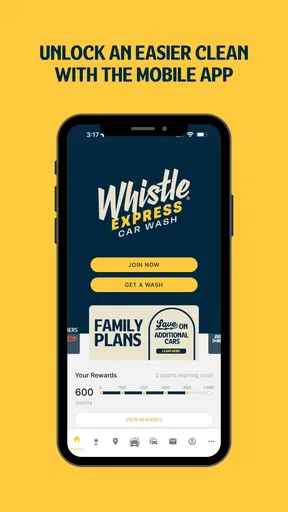
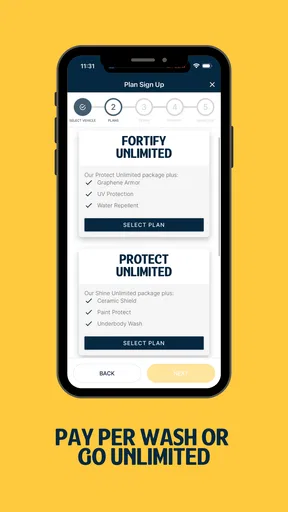
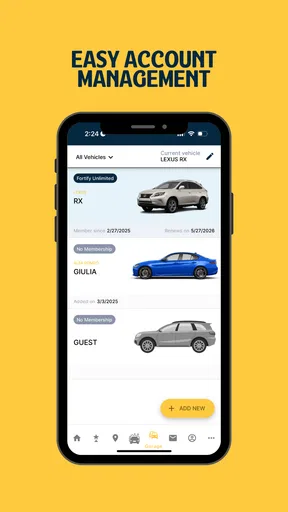
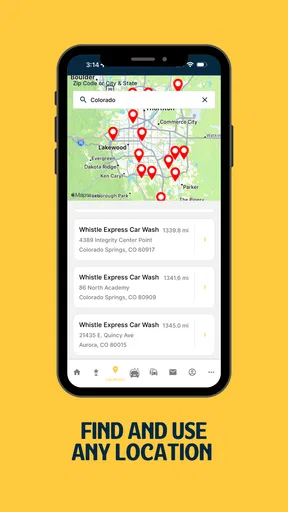
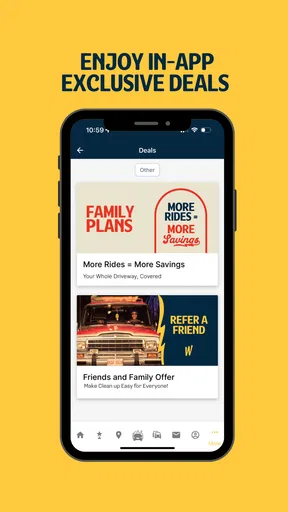
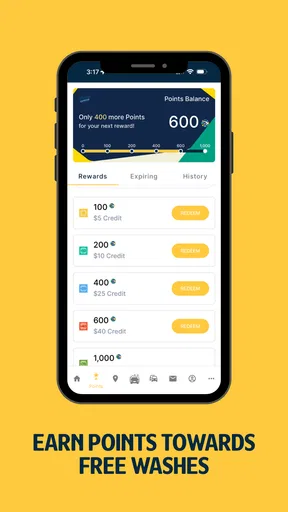
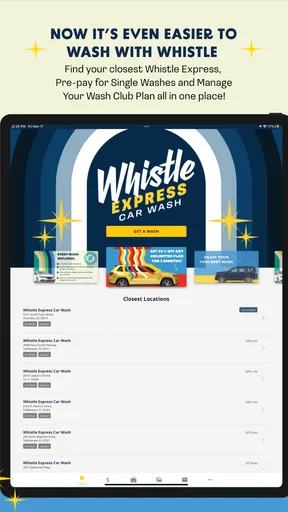
Our Review of Whistle Express Car Wash
 Analysis by Appyee
Keeping a car clean sounds simple until it becomes one more task competing for attention. Whistle Express CarWash is designed to make that part of vehicle ownership easier from a phone. It is a free Auto & Vehicles app from Whistle Express CarWash, and its main appeal is convenience: instead of treating a wash as an unplanned stop, I can use the app as a starting point for organizing the visit and keeping the experience closer at hand.
My first impression is that this is a practical companion rather than an app I would open every day. That is not a criticism. Its value appears when the car needs attention, when I am already near a wash location, or when I want to make a repeat visit less awkward. The app has an average rating of 4.0 from around 2.3 thousand ratings, with more than 100 thousand installs, which suggests that plenty of drivers find a reason to keep it available.
What to expect before your first visit
The safest way to approach the app is to think of it as a digital front door to the Whistle Express experience. The store summary focuses on keeping a vehicle clean and in good condition, while the short description simply identifies the Whistle Express service. That leaves the important practical question: what will I actually do after installing it?
Rather than expecting a full vehicle-maintenance dashboard, I would install it with one immediate goal in mind: prepare for a wash. Have the car details or account information you normally use for a service visit available, and give yourself a moment to read each screen instead of tapping through quickly. This small habit matters because car-wash apps often connect convenience with account choices, location decisions, or visit-related selections. The useful result is not merely having the app on the phone; it is reaching the point where I know how it helps me start a real visit.
The app is free and rated for Everyone, so it is approachable for households where more than one person may handle the car. It runs on Android devices using version 8.0 or later. On a newer phone, I would still keep expectations realistic: compatibility makes installation possible, but the quality of the experience can depend on the phone, connection, and how clearly the service options are presented at that moment.
One helpful mindset is to separate two jobs. The first is planning: deciding when and where the car should be washed. The second is completing the visit: using the available in-app path to move from intention to action. If I confuse those jobs, I may open the app expecting it to solve every part of the outing automatically. If I treat it as a focused service tool, the screens make more sense and the first success becomes easier to recognize.
Installing it without creating extra work
After installation, I would avoid setting up the app while sitting in a queue or while driving. A calm first setup at home gives me time to notice what information it requests and whether the account is ready for use. I would also keep the phone charged enough for the visit and make sure the app can connect normally before leaving. These are ordinary steps, but they prevent a common frustration: arriving at the wash and discovering that the phone is not ready when I need it.
Because the developer is also named Whistle Express CarWash, the app feels purpose-built for that service rather than a general car-care organizer. That is a strength when I already use or plan to use Whistle Express. It is less compelling if I want one app to compare several unrelated wash chains, track fuel, schedule repairs, and store maintenance records. In that situation, a broader vehicle app or the website of a preferred local provider may fit better.
I would also decide in advance what “success” means for the first session. For me, it would be reaching a clear, usable point for arranging or beginning a wash visit, not simply signing in. Setting that target keeps the setup focused and makes it easier to tell whether the app is genuinely saving time.
From first setup to a meaningful first action
The first meaningful action should be something connected to the car in front of me. Once the account or starting screen is ready, I would look for the most direct route to a wash-related task and follow that path one screen at a time. I would not explore every menu first. A successful first session should answer three practical questions: where I am expected to start, what I need to provide, and what I should do when I arrive.
This approach is especially useful for a first-time user who is unsure whether an app is necessary at all. If the app helps me move from “the car is dirty” to a clear next step without forcing me to search through unrelated sections, it has earned its place on my phone. If I still need to perform the entire process separately with no added convenience, I would probably keep it only if repeat visits become easier.
A realistic example is a Saturday morning before meeting friends. I notice dust and road film on the car, open the app while parked at home, and prepare the visit before leaving. At the wash, I can concentrate on following the service’s normal process instead of trying to decide what to do with a phone in one hand and the steering wheel in the other. The benefit is not dramatic automation; it is removing a small amount of hesitation at the exact moment when a quick errand can otherwise become inconvenient.
Another useful scenario is sharing responsibility for a household vehicle. If one person usually drives and another handles errands, a dedicated service app can make the wash routine easier to remember and repeat. I would still avoid assuming that every family member should create a separate setup immediately. It is better to establish one reliable account workflow first, then decide whether shared access is actually useful for the household.
Small habits that make the app more useful
My first tip is to open the app before the car is already waiting at the entrance. That gives me time to check the starting point and deal with any account or connection issue without pressure. My second tip is to keep the phone accessible but not in use while driving. The app is most helpful when it reduces distraction, not when it creates another reason to interact with the screen on the road.
A third tip is to treat the first completed visit as a test of the whole workflow. Afterward, I would remember what caused friction: finding the right screen, understanding the next instruction, or switching between the app and the physical wash process. That observation helps me decide whether the app is worth using for future visits. It also prevents me from judging it only by the installation experience.
A less obvious trade-off is that convenience can make me less attentive to the actual service choice. When an app makes a repeat action feel quick, it is easy to tap through without checking what I selected. I would slow down at any point involving a wash option, account choice, or visit confirmation. Speed is useful only after I understand the workflow.
Where first-time users may hesitate
The most likely confusion is expecting the app to behave like a general-purpose car-care assistant. Its identity is tied to Whistle Express CarWash, so its usefulness is naturally strongest around that service. I would not download it expecting repair reminders, fuel-price comparisons, insurance tools, or a complete maintenance history. Those are different jobs and may require different tools.
Another point of friction is the difference between information and action. An app may show a starting point for a service without replacing the physical steps of arriving, positioning the vehicle, or following on-site instructions. I would read the app as preparation and assistance, not as permission to ignore what the location requires. If the on-site process differs from what I expected, the staff or posted instructions should take priority over assumptions made from the phone.
There is also a practical reason not to rely on the app as the only way to handle a wash visit. Phones lose signal, batteries run low, and accounts sometimes need attention at inconvenient times. I would keep enough flexibility to complete the visit through the normal in-person process if the app becomes unavailable. That does not cancel out its convenience; it simply keeps a digital tool from becoming a single point of failure.
If I were comparing it with the usual alternatives, I would divide the choice into three groups. A traditional visit without an app is best for someone who washes a car rarely and wants the fewest digital steps. A general car-maintenance app is better for someone managing several kinds of vehicle tasks in one place. Whistle Express CarWash makes more sense for a driver who prefers this specific wash provider and wants a phone-based route into that routine.
Who should keep using it and who should skip it
I would recommend trying it if you regularly use Whistle Express, dislike handling service details at the last minute, or want a more organized way to approach repeat washes. It is also a reasonable choice for a first-time customer who prefers preparing on a phone before arriving. The free price lowers the risk of testing it, and the Everyone age rating makes it suitable for a broad range of drivers and households.
I would be more cautious if your car-wash needs are occasional, your preferred location is not part of your normal routine, or you already have a method that takes only a few seconds. In those cases, the app may add another account and another icon without providing enough benefit. People who want extensive vehicle records should also look elsewhere or use a separate tool alongside it.
The current version is 11.1.2722, and the app was released on October 14, 2024. I mention that because first-time users should keep the app updated through their normal app-store process rather than assuming an old installation will behave exactly like the current one. Updates can change navigation and presentation, so I would give the screens a quick look before an important visit instead of relying entirely on memory.
My overall view is positive but deliberately practical. This is not an app I would recommend simply because every driver needs another service shortcut. I would recommend it when the Whistle Express connection matches your routine and when you value preparing a wash visit from your phone. Its strongest quality is focus: it is built around a specific vehicle-cleaning use case instead of trying to become an entire automotive toolbox.
For a first-time user, the best next step is simple. Install it when you have a real wash in mind, complete the setup while parked, and aim for one clear visit-related action rather than exploring everything at once. If that process feels smoother than your usual alternative, keep using it and refine your routine. If it does not, there is no need to force the habit. The right test is whether it makes your next wash easier, not whether it fills your phone with another feature-heavy app.
After that first visit, I would decide based on repeat value. Does the app help me prepare faster, reduce uncertainty, or make the Whistle Express experience more convenient? If the answer is yes, it has a useful place in my Auto & Vehicles toolkit. If my needs are broader or my visits are too infrequent to justify a dedicated tool, a simpler alternative will probably serve me better.
Privacy and Permissions
See what permissions an app requests and how it handles your data.
- Location
- approximate location (network-based), precise location (GPS and network-based)
- Phone
- read phone status and identity
- Photos/Media/Files
- read the contents of your USB storage, modify or delete the contents of your USB storage
- Storage
- read the contents of your USB storage, modify or delete the contents of your USB storage
- Camera
- take pictures and videos
- Microphone
- record audio
- Wi-Fi connection information
- view Wi-Fi connections
- Device ID & call information
- read phone status and identity
- Other
- view network connections, pair with Bluetooth devices, access Bluetooth settings, full network access, change your audio settings, control Near Field Communication, run at startup, draw over other apps, control vibration, prevent device from sleeping, modify system settings
Verdict
Strengths of Whistle Express Car Wash
- Quick, convenient car washes at participating locations.
- Mobile app helps locate nearby Whistle Express sites.
- Membership options can save money for frequent washes.
- Multiple wash packages suit different cleaning needs.
- Contactless process reduces time spent at the wash site.
Limitations of Whistle Express Car Wash
- Features and pricing may vary between individual locations.
- A membership may be poor value for occasional car washers.
- Busy sites can still involve queues during peak periods.
- Automatic brushes may not remove stubborn dirt completely.
- App usefulness is limited where nearby locations are unavailable.
Similar Picks in This Category
View All
Android Auto
Google LLC4.1

maxim — order a taxi & food
PT. SITO4.7

Штрафы ГИБДД: проверка с фото
Pays LLC – Штрафы ГИБДД4.7

Номерограм – проверка авто
Авто Ассист4.8

Дром Авто
Дром4.9

Frequently Asked Questions
What is Whistle Express Car Wash, and what can I do with the app?
Whistle Express Car Wash is a mobile companion for managing visits to participating Whistle Express locations. Depending on your area, the app may let you find nearby washes, review available wash plans, purchase or manage memberships, view promotions, and access account or vehicle information. Features can vary by location, so check the details shown in the app before making a purchase or planning a visit.
Can I use the app to purchase or manage a Whistle Express membership?
In supported locations, the app can help you explore membership options, enroll in a recurring wash plan, and manage account details connected with that plan. Before subscribing, carefully review the price, billing frequency, vehicle requirements, cancellation terms, and any location restrictions. Membership availability and management options may differ depending on the market and the current version of the application.
Does Whistle Express Car Wash offer single-wash purchases and promotions?
The app may display individual wash packages, special offers, digital discounts, or location-specific promotions. The available choices are not necessarily the same at every Whistle Express site, and some promotions may include expiration dates, usage limits, or eligibility conditions. Review the offer’s terms before purchasing, and confirm that it applies to the location you intend to visit.
Does the app require location access, an account, or payment information?
Some features may work best when location access is enabled, particularly when searching for nearby Whistle Express facilities or receiving location-based information. Creating an account and adding payment details may be necessary for memberships or in-app purchases, while basic browsing may require less information. Review the app’s permissions and privacy policy, and only provide details you are comfortable sharing.
What should I check before downloading and using Whistle Express Car Wash?
Before downloading, confirm that the app supports your Android or iOS device and that Whistle Express operates in your area. Also check the latest store listing for required permissions, current features, subscription pricing, and user feedback. If you plan to join a wash club, understand the recurring billing and cancellation rules, and verify that your vehicle meets the selected plan’s conditions.
